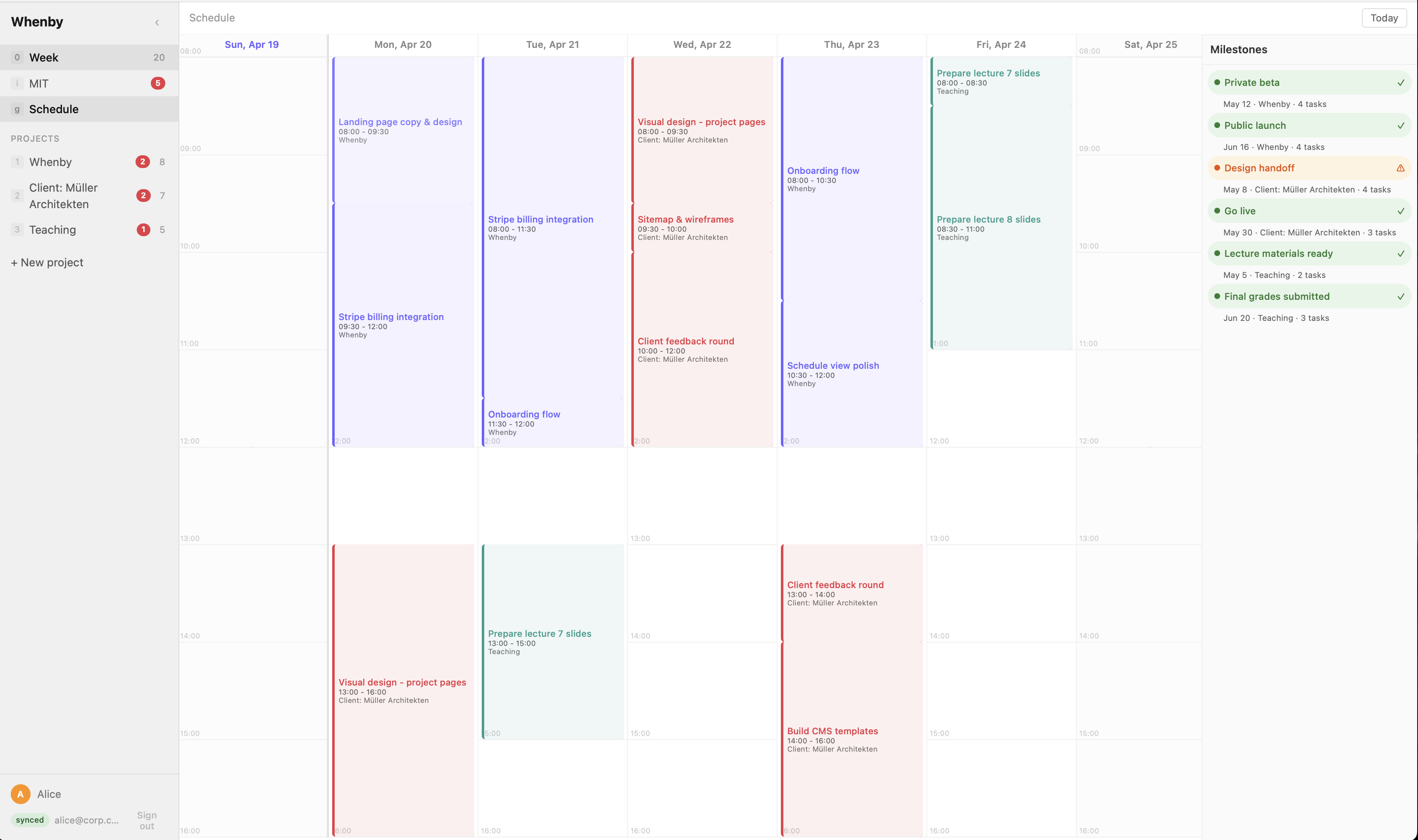
"When will this be ready?" — You'll never have to guess again.
Start planning
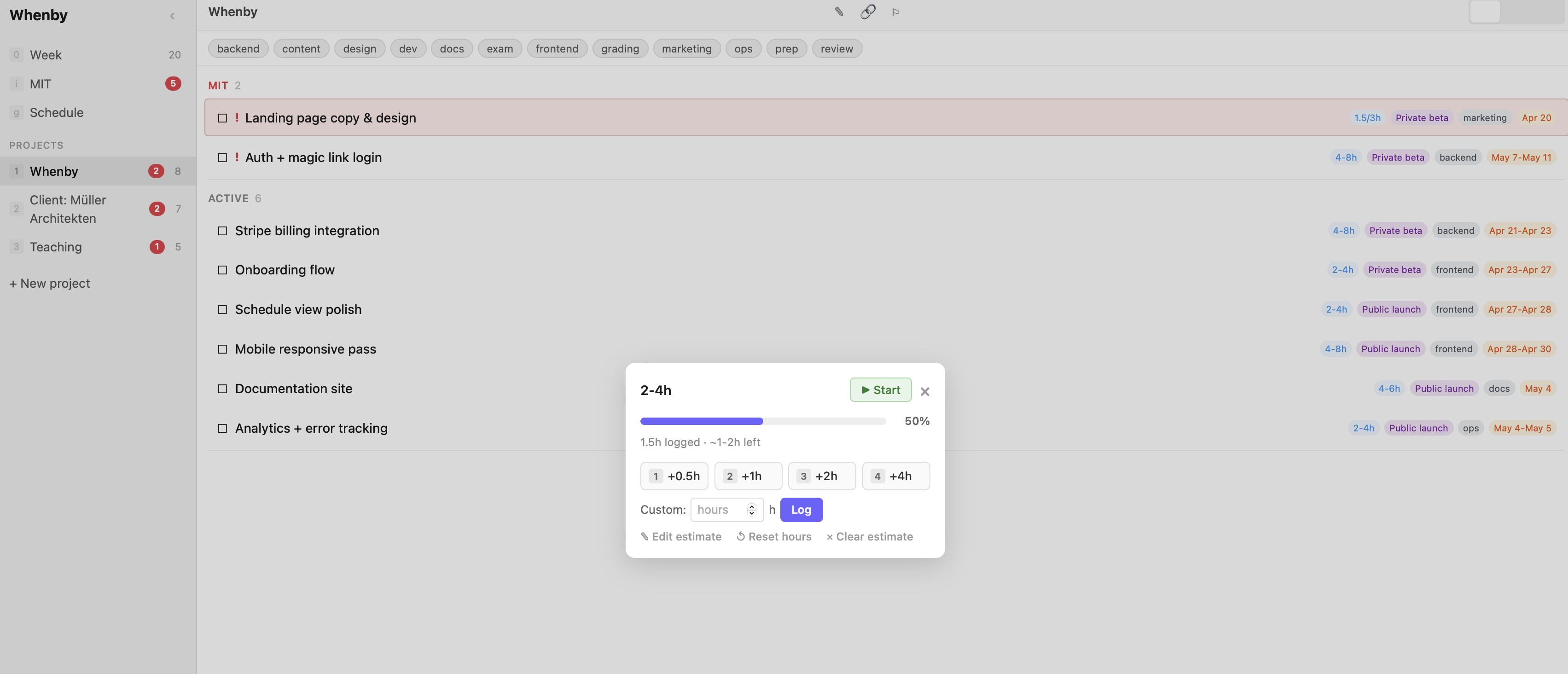
Give each task a best-case and worst-case hour range. One keystroke opens the estimator.
Define when you work on each project. Morning blocks, afternoon blocks — your real calendar.
The scheduler fills tasks into your time blocks and shows you when everything actually finishes.
Estimate tasks with best/worst case ranges. The timeline shows honest projections — with uncertainty that widens the further out you look. No false precision.
Define when you work on each project. Monday mornings for client work, Wednesday afternoons for the side project. Tasks fill into your actual available time.
Set milestones. The schedule automatically flags which deadlines you'll hit and which ones are at risk — before you miss them. Green means go. Red means rethink.
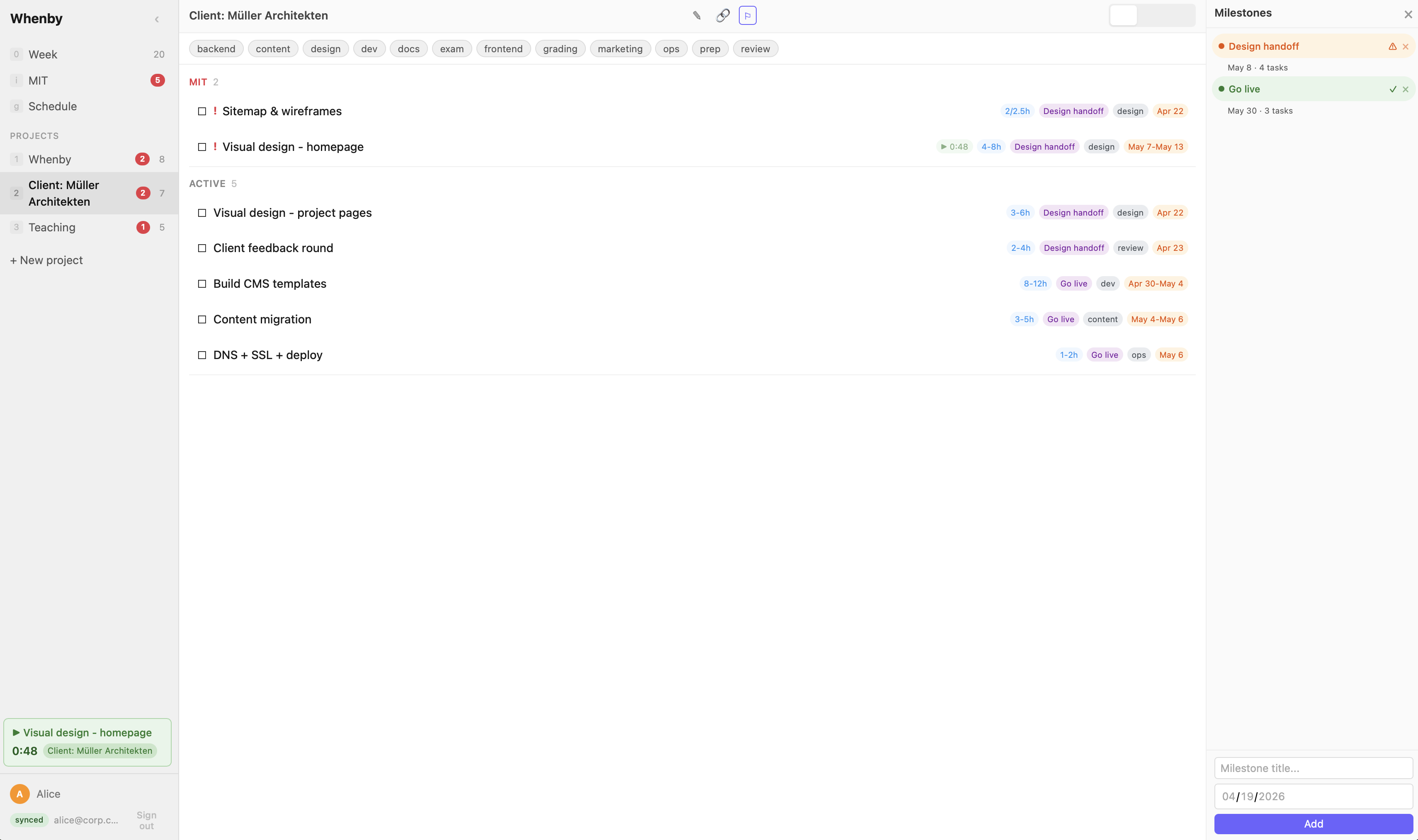
Drag projects up or down in priority. The schedule recalculates instantly. Watch milestones flip from red to green.
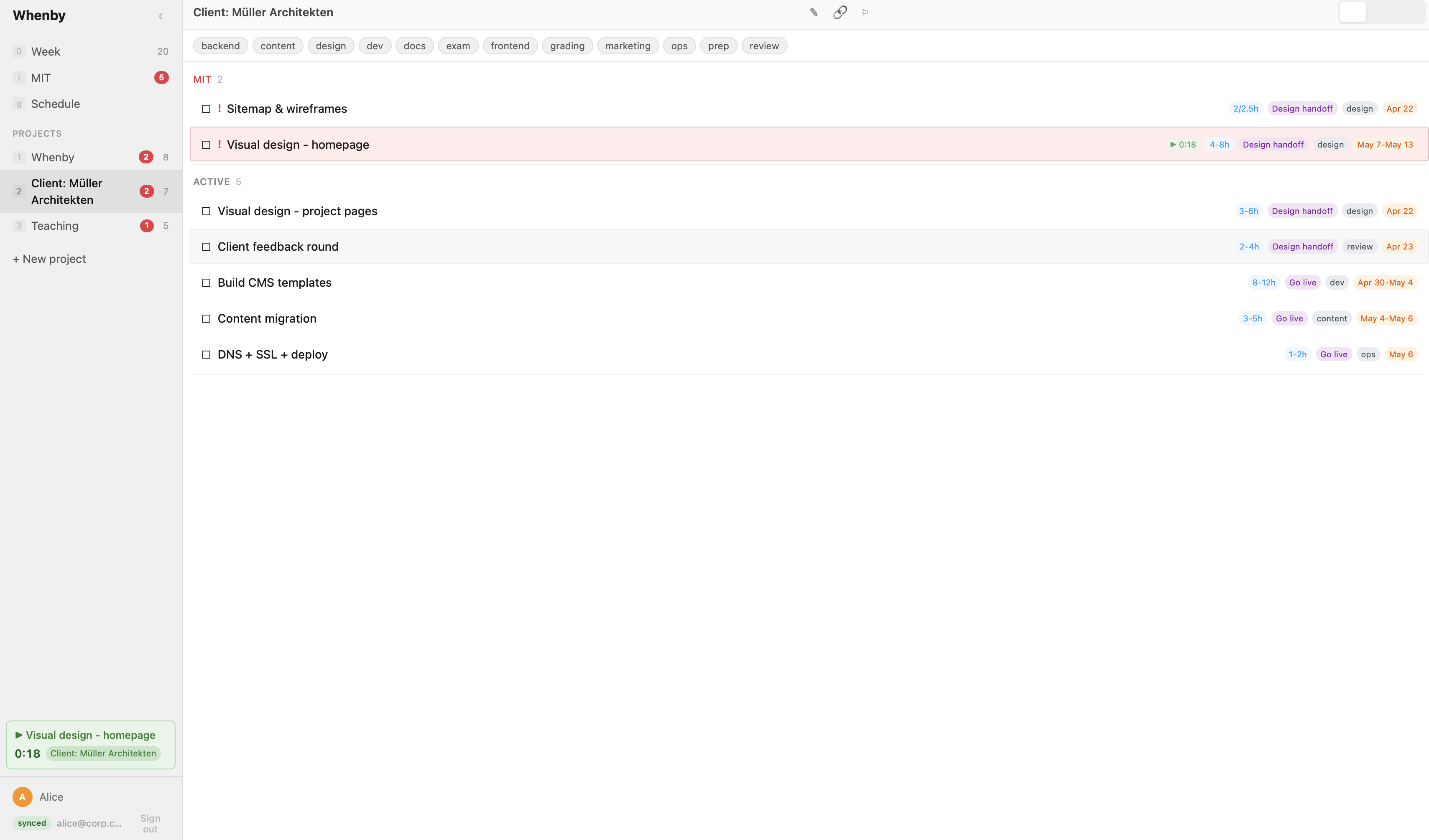
One keystroke to start tracking. Actual hours automatically adjust remaining estimates and shift the schedule. Your team sees who's working on what in real time.
Your data lives on your device. Changes sync in the background when you're connected. No cloud dependency, no loading spinners, no lost work.
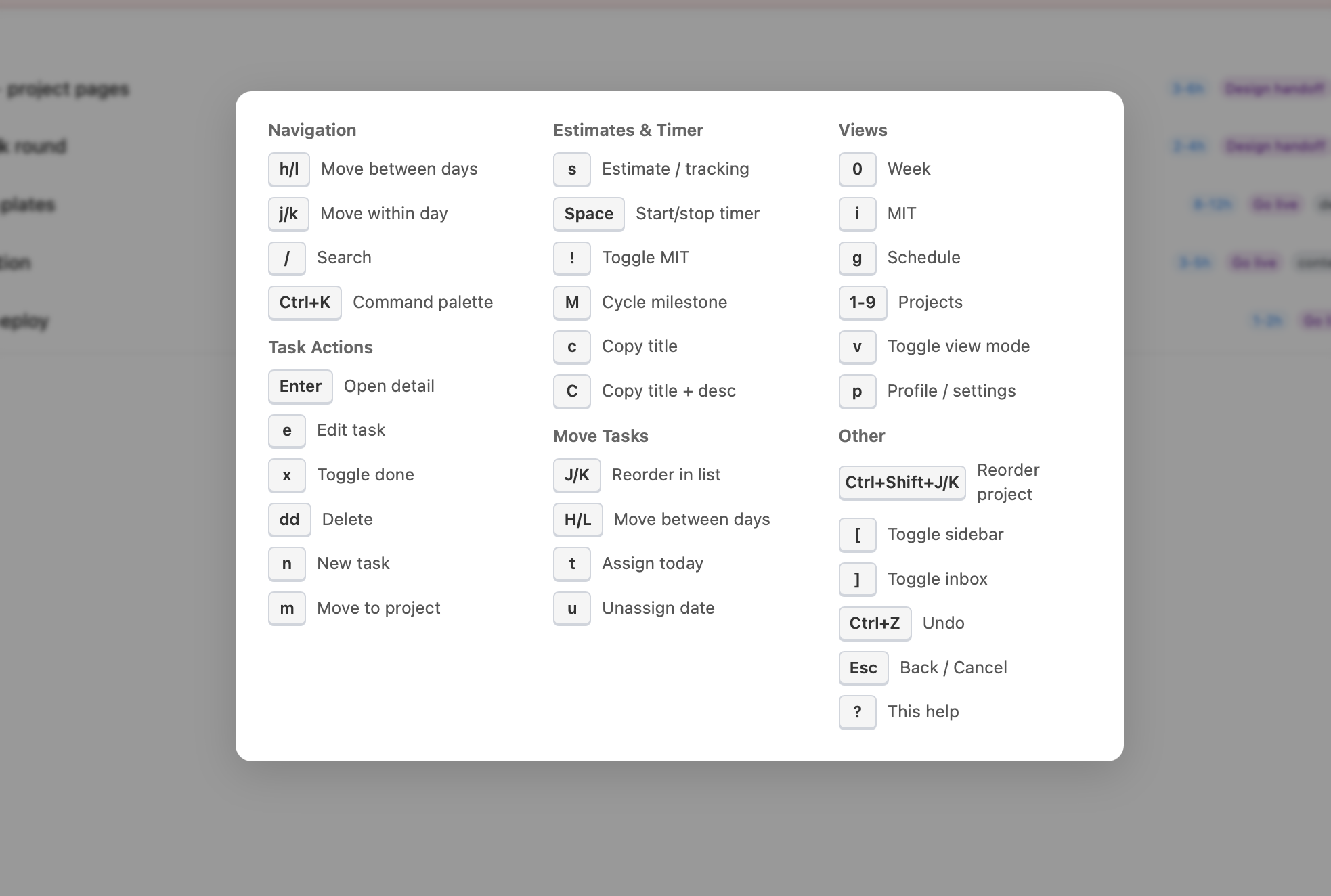
Every action has a shortcut. Navigate, estimate, reorder, assign milestones — without touching the mouse. Built for people who think faster than they click.
| Whenby | OmniFocus | Todoist | |
|---|---|---|---|
| Scheduling | Automatic — fills your time blocks | Manual — you assign dates | Manual |
| Estimates | Ranged (best/worst), uncertainty propagates | None | None |
| "When will I finish?" | The schedule shows you | You calculate | You guess |
| Deadline risk | Milestones flag risk in advance | You discover when it's too late | None |
| Time tracking | Built-in, auto-adjusts schedule | None | Third-party |
| Works offline | Yes — local-first | Yes | Limited |
| Platform | Any browser | Apple only | All |
Open Whenby. You'll know.
Start planning